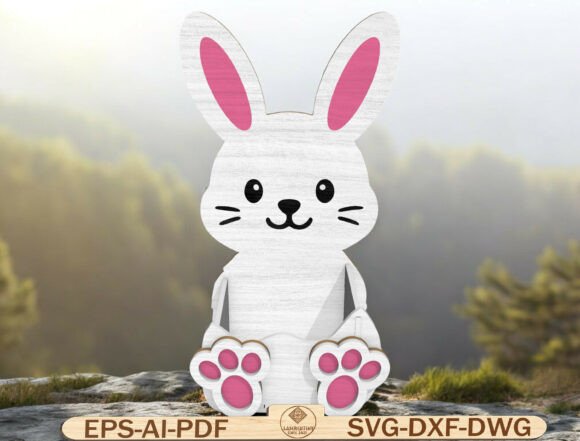
Cute Sitting Bunny SVG for Easter Décor
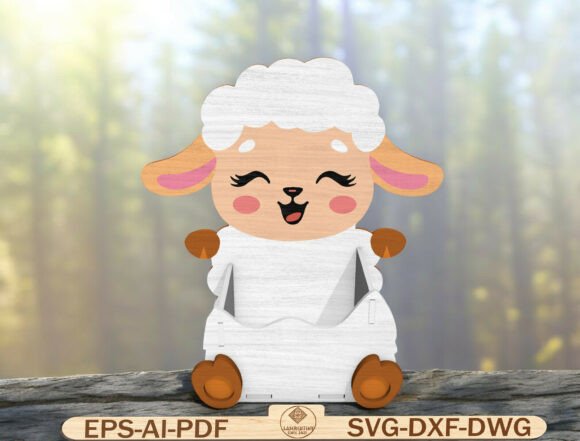
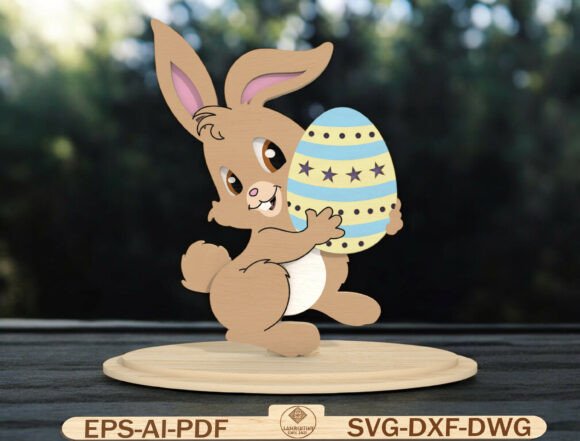
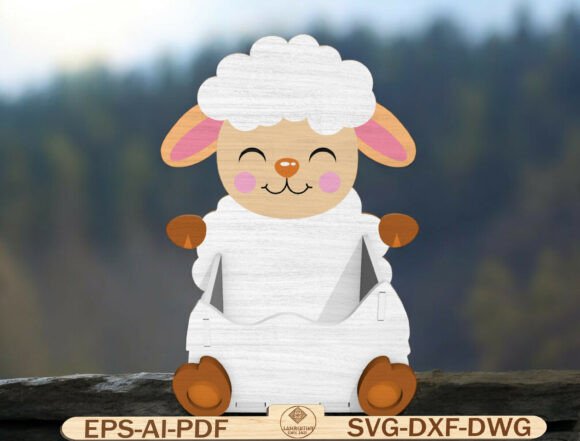
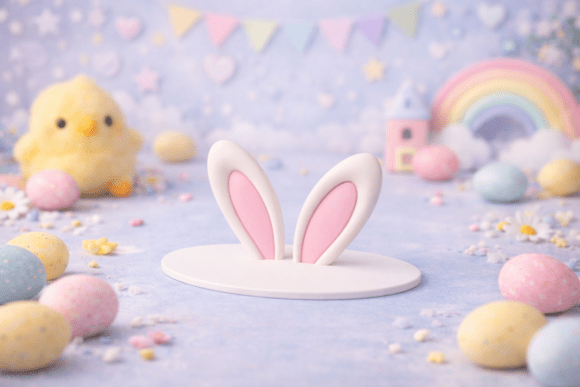
Looking for a charming way to elevate your Easter decorations this year? The Easter Bunny Decor Laser Cut File offers a sweet, timeless design that brings a soft and whimsical touch to any space. This digital download features a layered 3D bunny design with delicate pink ears and paws, perfect for laser cutting or CNC routing projects. Whether you're a beginner or a seasoned crafter, this bunny SVG makes it easy to create elegant wooden Easter décor that feels both handmade and professional.
The file includes multiple formats—SVG, DXF, DWG, EPS, AI, and PDF—ensuring compatibility with a wide range of cutting machines like Glowforge, Cricut, xTool, LightBurn, Omtech, and more. Its clean lines and smooth cut paths help ensure crisp, precise results every time. The design’s minimal details and neutral color palette make it versatile for various styles, from farmhouse to nursery décor, giving you the freedom to paint or stain it to match your personal taste or brand aesthetic.
Ideas for Using the Bunny SVG in Easter Décor
With its layered 3D structure, this Easter Bunny Decor Laser Cut File opens up a variety of creative possibilities. Here are a few ways you can bring this design to life:
- Wooden shelf sitters: Cut the bunny from thin wood and paint it in pastel shades for a soft, spring-ready look on your mantel or bookshelf.
- Easter tiered tray accents: Add dimension to your tiered tray setup by incorporating this bunny as a central piece or alongside other laser-cut Easter elements.
- Bunny Easter baskets: Attach a small version of the bunny to the side of a handcrafted Easter basket for a personalized touch.
- Nursery Easter décor: Use the bunny SVG to create gentle, gender-neutral decorations for a baby’s room or toddler-friendly Easter setup.
- Farmhouse spring wall art: Enlarge the design and mount it on a distressed wooden background for a rustic Easter wall hanging.
Each of these ideas leverages the bunny’s clean, layered design to create something both decorative and functional. Because the file is beginner-friendly, even those new to laser cutting can achieve polished results without hours of trial and error.
Customizing the Bunny Design for Different Styles
One of the best features of this Easter Bunny Decor Laser Cut File is its adaptability. Since it arrives in a neutral, minimal style, it serves as a blank canvas for your creativity. Here are a few ways to customize it:
- Paint it: Use acrylic paints, spray paint, or wood stain to match your home’s color scheme or seasonal palette.
- Add texture: Sand lightly between layers for a weathered look, or use wood burning tools to add fine details.
- Incorporate fabric: For a softer touch, glue felt or lace accents onto the bunny’s paws or ears.
- Mix materials: Combine wood with burlap, ribbon, or twine to create a layered, tactile Easter décor piece.
- Personalize with names or dates: Use a vinyl cutter or engraver to add a name, date, or short phrase to make the design unique.
These variations allow you to tailor the bunny to different audiences or uses. For example, a pastel-painted version may work well for a child’s Easter craft project, while a stained and distressed version could suit a farmhouse-style Easter centerpiece.
Who Can Benefit from This Bunny SVG?
This Easter Bunny Decor Laser Cut File is ideal for a wide range of creators and small business owners. Here’s how different users can apply it:
- Hobbyists: Create personalized Easter décor for your home or to give as gifts without spending hours on complex designs.
- Entrepreneurs: Use the file to produce Easter-themed products for craft fairs, Etsy shops, or local markets.
- Bloggers and influencers: Feature the bunny SVG in a seasonal DIY post or social media tutorial to engage your audience with hands-on content.
- Educators: Introduce students to laser cutting by using this beginner-friendly design in a classroom or makerspace setting.
- Wedding and event planners: Customize the bunny for spring-themed events or Easter brunches with a soft, elegant touch.
Each of these applications benefits from the file’s ease of use and high-quality output. Whether you're making one piece or a batch of bunnies, the consistent design ensures reliable results across multiple materials and machines.
How to Get the Most from Your Laser Cut Bunny
To ensure your Easter Bunny Decor Laser Cut File turns out beautifully, consider these practical tips:
- Test with scrap material first: Before cutting your final piece, run a test on a similar scrap material to confirm settings and alignment.
- Organize layers clearly: Label each layer of the file or material to make assembly easier, especially if you're working with multiple layers or colors.
- Use strong wood glue: Choose a fast-drying, clear-drying glue to hold the layers together without leaving visible marks.
- Sand between layers: Smooth out any rough edges between layers for a more polished finish before painting or staining.
- Photograph in natural light: If you're sharing your finished piece online, take photos in daylight to highlight the bunny’s texture and color.
These small but meaningful steps help maintain consistency and quality, especially when creating multiple pieces for sale or display.
Final Thoughts
The Easter Bunny Decor Laser Cut File is more than just a digital download—it's a versatile design tool that empowers creators to bring soft, charming Easter décor to life with minimal effort. Its clean lines, layered structure, and compatibility with multiple machines make it a go-to resource for anyone looking to craft or sell seasonal décor. Whether you're a hobbyist, entrepreneur, or educator, this bunny SVG offers a creative foundation that can be adapted to suit your style, audience, and purpose.