3D Yoga Stand Décor Laser Cut SVG Design: A Mindful Touch for Your Workspace or Home
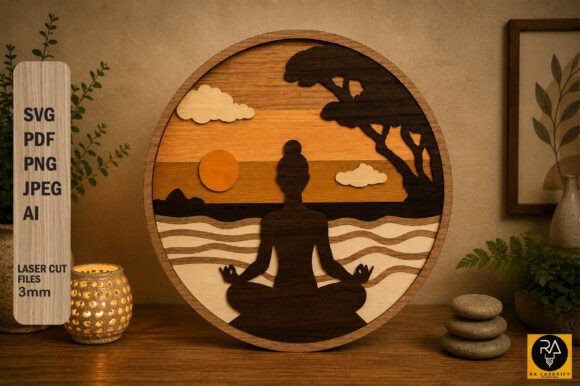
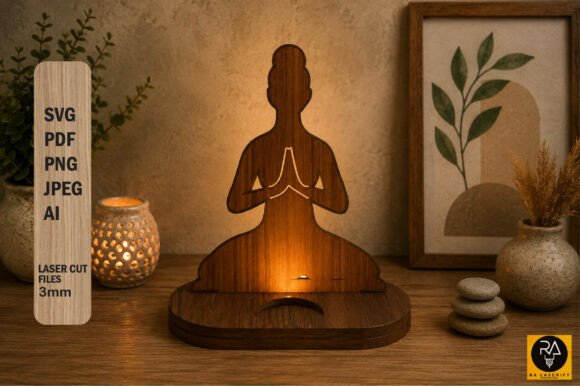
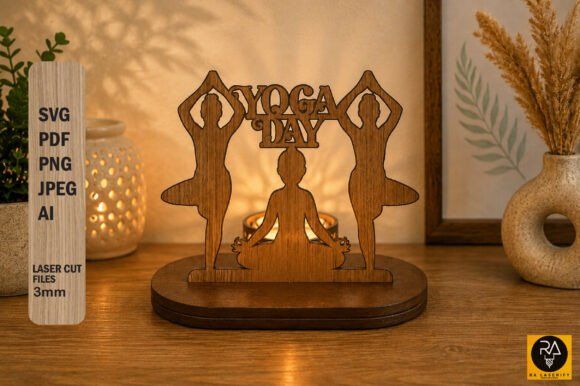
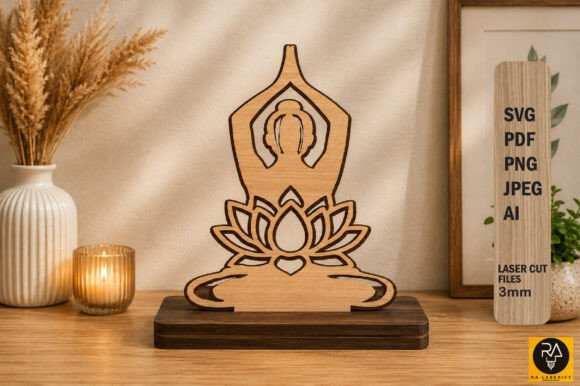
The 3D Yoga Stand Décor Laser Cut SVG Design is more than just a decorative piece—it's a thoughtful blend of art, mindfulness, and craftsmanship. Designed to celebrate International Yoga Day, this elegant laser-cut stand features a serene depiction of a woman in the Anupam Yoga Pose, framed by a delicate lotus petal motif. Standing at 5.3 inches tall and 4.7 inches wide, it's a compact yet striking addition to a desk, table, or meditation corner, offering a visual reminder of calm and balance.
Why This Design Resonates With Makers and Decor Enthusiasts
Crafters and designers are increasingly drawn to SVG files that offer both aesthetic appeal and functional simplicity. The 3D Yoga Stand Décor Laser Cut SVG Design fits that need perfectly. It’s a slot-and-stand design that requires no glue when cut from 3mm wood or acrylic, making it ideal for laser cutting enthusiasts at any skill level.
Available in multiple file formats—SVG, AI, PDF, PNG (300ppi), and JPEG—it provides flexibility for both digital use and physical creation. Whether you're a hobbyist looking to personalize your workspace or a small business owner aiming to offer meaningful decor items, this design delivers value and versatility.
Common Mistakes When Choosing and Using Laser Cut SVG Designs
Despite its apparent simplicity, using a laser cut design like this one can come with pitfalls—especially for those new to SVG files or laser cutting. Here are some common missteps and how to avoid them:
1. Assuming All SVG Files Are the Same
Many buyers assume that SVG files are interchangeable, but that’s not the case. Some files are poorly structured, with misaligned layers or incorrect scaling, which can cause issues during laser cutting. This can lead to wasted materials, rework, and frustration.
Better approach: Always check the file source. Look for sellers or creators who offer previews, specify the file structure, and mention compatibility with popular laser cutting software like LightBurn or Adobe Illustrator.
2. Ignoring Material Thickness Specifications
This design is optimized for 3mm material thickness. Using thinner or thicker materials can cause the slots to be too loose or too tight, affecting the structural integrity of the final piece.
Better approach: Stick to the recommended 3mm thickness for wood or acrylic. If you must use a different thickness, adjust the slot dimensions accordingly using your design software before cutting.
3. Skipping Test Cuts or Mock-Ups
Some users jump straight into cutting the final material without testing on scrap first. This can lead to errors in alignment, depth, or assembly that are costly to fix.
Better approach: Do a test cut on inexpensive material like cardboard or thin MDF. This helps verify the fit and overall structure before committing to your final material.
4. Overlooking File Format Compatibility
While SVG files are widely used, not all machines or software support every type of SVG. Some may have embedded fonts or complex paths that don’t translate well.
Better approach: Confirm that the file includes versions compatible with your specific machine or software. The inclusion of AI, PDF, and PNG files in this package gives you more flexibility for both digital and physical use.
What to Check Before Downloading or Using This Design
Before you download or purchase any laser cut SVG design, especially one intended for personal or commercial use, consider the following:
- License type: Make sure the file can be used for your intended purpose—personal use, resale, or product creation.
- File structure: Ensure layers are clearly labeled and grouped logically for easy editing.
- Preview availability: Always look for a preview image or a detailed description that shows the design in use.
- Customer support: Choose sellers who offer support or respond to questions, especially if you're new to laser cutting.
How Mistakes Affect the Final Outcome
Small oversights can lead to significant issues in the final product. For instance, incorrect slot dimensions can make the stand unstable or impossible to assemble. Poorly structured SVG files can cause laser machines to misinterpret cutting paths, resulting in wasted time and materials.
From a presentation standpoint, a poorly executed design may not convey the intended message of peace and mindfulness. This is especially important if you're creating the stand for a special occasion like International Yoga Day or offering it as part of a curated gift set.
Practical Tips for a Successful Laser Cut
Here are some actionable tips to ensure your 3D Yoga Stand Décor Laser Cut SVG Design turns out just right:
- Verify file integrity: Open the SVG in your preferred design software to ensure it scales properly and layers are editable.
- Use the right settings: Adjust your laser machine's power and speed settings according to the material you're using. Acrylic and wood require different configurations.
- Label your pieces: During cutting, label each section or group them by layer to avoid confusion during assembly.
- Finish the edges: Sand or polish the cut edges for a cleaner look, especially if you're using wood.
Final Thoughts
The 3D Yoga Stand Décor Laser Cut SVG Design is a beautiful, functional, and meaningful project for anyone interested in laser cutting or mindful decor. By understanding potential pitfalls and taking a few simple precautions, you can create a stunning piece that brings peace and positive energy to any space.
Whether you're a beginner learning the ropes of laser cutting or a seasoned maker looking for a thoughtful design to add to your collection, this SVG file offers both creative satisfaction and aesthetic value—perfect for your personal space or as a unique handmade gift.